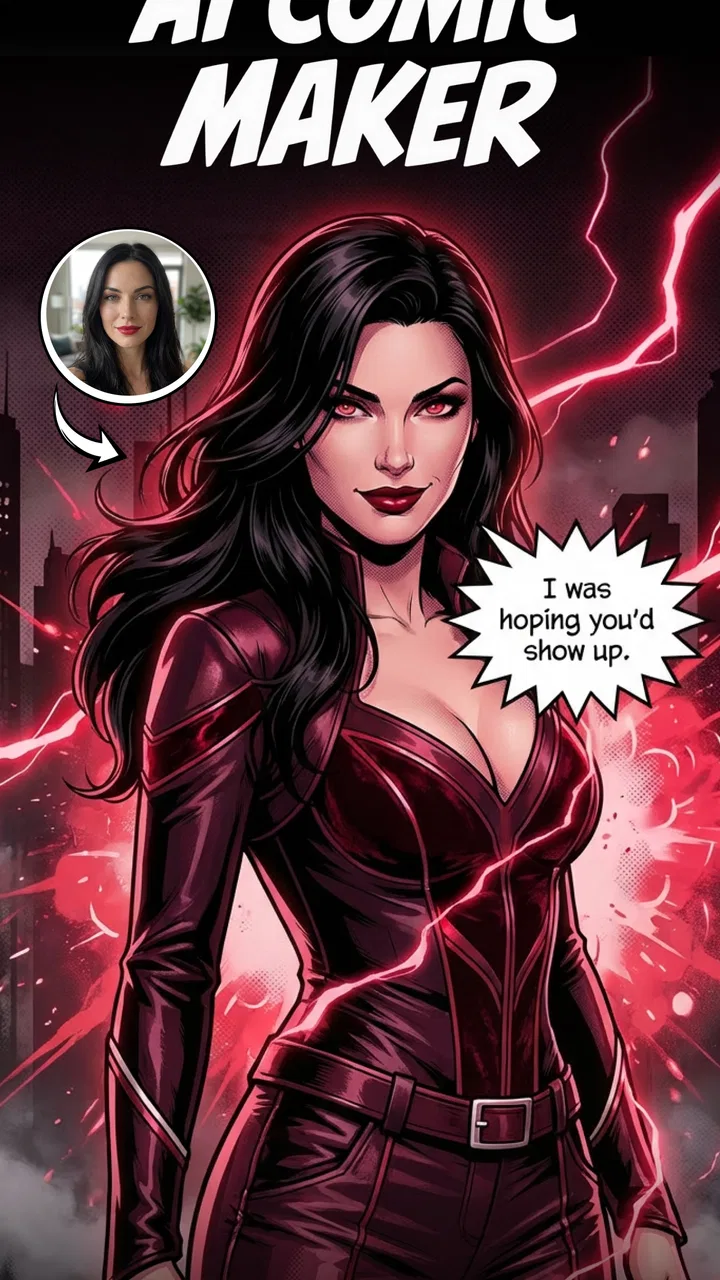
Comics AI: Comic & Manga Maker
- 4.1
- Rating
- 10.00K
- Installs
- Free
- Price
 Analysis by App-foxy
I approached Comics AI: Comic & Manga Maker as a quick way to turn an idea into a comic-style visual, rather than as a full replacement for a drawing studio. Its focus is clear: help you build comic, manga, or manhwa-inspired material with AI assistance, even when you do not have the drawing skills or time to illustrate every panel yourself. After spending time with it, I found the most useful way to think about the app is as an idea-development tool. It can help you get from a rough concept to something visual enough to discuss, revise, or share.
The app sits in the Art & Design category and is made by Superapp Labs. It is free to install, with optional purchases ranging from $6.99 to $89.99 per item. That difference matters because a free starting point makes experimentation easy, while the paid options mean regular users should decide early how much they want to rely on AI generation. The content rating is Everyone, so it is presented as an accessible creative app rather than a tool aimed at a mature audience.
Its store presence is still relatively modest, with over 10 thousand installs and an average rating of 4.1 from around 1.5 thousand ratings. I would not treat that as proof that it suits every workflow, but it does suggest that the basic concept is connecting with people who want a simpler route into comic creation. The current version is 1.1.0, released on March 26, 2026, and it works on devices running Android 7.1 or later.
You May Also Like

 AccuWeather: Weather Radar
AccuWeather Review: A Quick, Clear Forecast for Everyday Decisions
For everyday plans, the best forecast is the one you can understand quickly. AccuWeather makes rain timing, radar, and local conditions easy to act on, with a few trade-offs.

 Hill Climb Racing
Why Hill Climb Racing Still Turns Crashes Into One More Run
A tiny car, a bumpy hill and one more upgrade: Hill Climb Racing keeps resurfacing because its simple chaos makes every near-miss feel personal.

 AliExpress - Shopping App
AliExpress Makes Global Shopping Feel Personal, but Shoppers Bear the Risk
AliExpress turns a global marketplace into a pocket-sized discovery engine. Its reach is useful, its shopping loop compelling, and its trade-offs easy to miss.

 Lords Mobile: Kingdom Wars
Lords Mobile Is a Kingdom-Building Routine, Not a Quick Match
A case-by-case verdict on the building, battles, device demands, and social commitments that make Lords Mobile rewarding for some players and exhausting for others.

 PDF Scanner app - TapScanner
TapScanner Makes Paperwork Easier to Capture, Check, and Share
TapScanner makes scanning with a phone feel less like a rescue operation and more like a dependable step in getting work done. Its capture tools are useful, though not flawless.

 Block Blast!
Block Blast! Shows How Much a Puzzle Game Can Leave Out
A quiet grid game shows why puzzle players increasingly value instant clarity, repeatable skill and low-pressure play—and where the genre still needs to catch up.
More From Our News Desk
View All News


How I would use it from a blank idea to a readable comic
The best starting point is not to ask the app to invent an entire masterpiece in one go. I get better results when I first decide what the scene is supposed to communicate. Is it a funny reaction, a dramatic reveal, a quiet conversation, or an action beat? That decision gives the generated image a job. Without it, the process can become a stream of attractive but disconnected pictures.
For a simple workflow, I would begin with a short premise, identify the characters, and describe the setting in plain language. Then I would treat the first result as a visual draft. The important habit is to inspect whether the image supports the story, not merely whether it looks interesting. A striking character design is not useful if the expression does not match the line of dialogue or if the setting makes the action unclear.
For example, imagine I want to make a small comic about a student discovering that a forgotten sketchbook has drawn something overnight. I would separate the idea into moments: the student opening the book, noticing the unexpected drawing, reacting with disbelief, and deciding whether to close it again. That sequence is more manageable than asking for a complete page with every detail at once. It also makes it easier to spot which panel needs improvement.
This panel-by-panel mindset is one of the most practical ways to use an AI comic maker. I can revise a weak moment without throwing away the whole concept. It also encourages me to keep the story readable. If every panel contains a new location, a new pose, and a new visual style, the reader has to work too hard to understand what happened between images.
I would keep a small note beside the app with the character’s essential traits, clothing, and role in the scene. Reusing the same concise description helps me maintain a more coherent direction than improvising completely new wording each time. It does not guarantee perfect continuity, but it gives the app a stable reference and gives me a repeatable method.
The app is especially approachable for someone who has ideas but feels blocked by drawing. A beginner can focus on pacing, dialogue, and visual choices instead of spending hours learning anatomy or perspective first. I also see value for writers who want rough storyboards, teachers preparing a visual prompt, and social creators testing a short narrative before investing in polished artwork.
What I check before accepting a result
I look at five things before deciding that a panel is usable. First, can I tell who is doing what? Second, does the facial expression fit the scene? Third, is the camera angle helping the moment or hiding it? Fourth, does the visual style feel close enough to the neighboring panels? Finally, is there enough empty space for any text I plan to add?
That last check is easy to overlook. A generated image can look complete while leaving no comfortable place for a speech bubble or caption. If I know text will be part of the final panel, I describe the composition with that in mind and choose images that leave breathing room. Otherwise, the finished page can feel crowded even when the artwork itself is attractive.
I also avoid judging the image at thumbnail size alone. Small previews can hide awkward hands, strange object relationships, or expressions that become distracting when enlarged. A quick close inspection before saving time on lettering is worthwhile. It is much easier to reject a weak draft early than to build a whole page around it.
Settings and choices that deserve attention
When I use an app like this, I do not rush past the available choices. The most important settings are the ones that influence the intended comic language: whether the result should feel closer to manga, manhwa, or a broader comic illustration; how much detail the scene needs; and whether the composition should emphasize a character, an object, or the environment. I make those decisions before refining the wording.
Style selection should serve the story rather than become decoration. A highly dramatic look may suit a confrontation, but it can make a quiet everyday scene feel exaggerated. Likewise, a soft visual treatment may help a personal story but weaken the sense of speed in an action panel. I prefer choosing one visual direction for a short sequence and changing it only when the story itself calls for a deliberate transition.
Prompt wording is another area where experienced use makes a difference. I put the subject and action first, then the setting, mood, and visual treatment. Describing too many unrelated details at once can dilute the central event. If the important point is that a character is hiding a letter, I make that action unmistakable before adding clothing, lighting, background objects, and atmosphere.
I also separate fixed details from flexible ones. A character’s hairstyle, color palette, or distinctive accessory may need to remain stable, while the weather or background can change from panel to panel. Keeping the fixed details consistent in my notes gives me a practical continuity system without pretending that AI generation will automatically remember every earlier image.
There is a useful trade-off between specificity and freedom. If I describe every finger position, camera distance, and background object, I may get a composition that follows the instruction but feels stiff. If I write only a broad concept, I may receive something visually appealing but narratively vague. I usually begin with a focused description, then adjust one problem at a time rather than rewriting everything after every attempt.
Because the app is free to start but includes optional purchases, I would also check how much of my intended workflow depends on repeated generation before committing money. Casual users can explore the concept without immediately paying. More serious users should consider whether the cost of repeated attempts fits their budget, especially if they are creating long sequences rather than isolated images. The listed purchase range is broad enough that this is not a minor detail for frequent use.
Repeatable habits that make the process faster
The fastest approach is not necessarily generating as quickly as possible. It is reducing unnecessary retries. I begin by outlining the sequence in a few words, then identify the panels that carry the story. Those key panels receive the most attention. Transitional images can remain simpler, because their job is often just to connect two important moments.
I also reuse a personal prompt structure. Mine follows this order: character, action, location, mood, composition, and visual style. A consistent order makes it easier to notice what changed between two attempts. If the character is right but the scene is confusing, I can adjust the location or composition without accidentally changing the whole visual identity.
Another helpful pattern is to generate alternatives for the difficult panel instead of endlessly polishing the first acceptable one. A dramatic reveal, unusual pose, or crowded setting may be easier to solve by trying a fresh description than by adding more and more instructions to a weak concept. I save the strongest direction and move forward, rather than treating every first result as something that must be rescued.
For a short social post, I would keep the sequence compact and make each image understandable on its own. For a longer comic, I would work in small batches: establish the characters, complete a brief scene, review continuity, and only then continue. This prevents a problem in the opening panels from spreading through the entire project.
I would also keep a naming habit outside the generation process, such as labeling images by scene and panel order. That sounds mundane, but it becomes valuable once several variations exist. Without a simple system, it is easy to lose the version with the best expression or accidentally use an earlier draft in the final sequence.
The app is most efficient when I use it for visual decisions that would otherwise slow me down. It is less efficient when I expect it to manage the entire creative process automatically. Story structure, character motivation, dialogue, and editing still benefit from human judgment. The AI can accelerate the visual starting point, but it does not remove the need to decide what the reader should notice.
Where the app helps, and where its limits become visible
The biggest strength is accessibility. Someone can approach a comic idea through description rather than traditional illustration, and that lowers the barrier to experimentation. It is also useful when I need a rough visual reference quickly. A writer can test whether a scene feels cinematic, a student can present a concept, and a hobbyist can explore a manga-inspired idea without first building a complete art workflow.
Its limitation is the same feature that makes it approachable: AI-generated images are not the same as carefully controlled sequential artwork. A single panel may look convincing while continuity across several panels remains difficult. Character proportions, clothing details, object placement, and facial expressions can shift. For a private sketch or early storyboard, that may be acceptable. For a polished graphic novel, it can become a serious editing burden.
I would not choose this as my only tool if I needed exact character sheets, precise lettering, dependable panel geometry, or professional print preparation. A conventional drawing app is better when I need direct control over every line. A dedicated comic-layout tool is better when page structure, speech bubbles, and consistent typography are the main priorities. This app makes more sense earlier in the process, or for projects where speed and experimentation matter more than absolute consistency.
Text is another area where I would keep expectations realistic. Even when the artwork communicates the idea, lettering and dialogue may still need careful handling elsewhere. I prefer treating the generated visual as the illustration layer and reviewing the words separately. That gives me control over spelling, timing, bubble placement, and the amount of information shown in each panel.
There is also a creative limitation in depending too heavily on the app’s visual tendencies. If I accept the first recognizable result every time, my work can begin to look predictable. I get more personal results when I use the generated image as a starting point, then make deliberate choices about cropping, sequence, dialogue, and what to remove. The human edit is where the comic begins to feel like mine.
Users should skip it if they want a complete professional production environment in one place or if they dislike revising generated material. It is not the right fit for someone who already has a precise illustration workflow and needs fine-grained control over every mark. It is a better fit for beginners, idea-driven creators, and people who want to turn written concepts into visual drafts without a long setup.
My verdict after building a practical workflow
I see Comics AI: Comic & Manga Maker as a useful bridge between imagination and visual experimentation. It does not make the creative decisions for me, and it does not remove the need to review continuity, composition, or lettering. What it does well is give a person a way to explore comic and manga-style ideas without beginning with a blank canvas and a demanding drawing lesson.
My recommendation is strongest for short sequences, storyboards, character experiments, and casual creative projects. I would use it to test a scene, compare visual directions, or create a rough version of an idea before deciding whether the project deserves more detailed work. The free entry point makes that kind of exploration approachable, while the in-app purchase range encourages regular users to think carefully about how often they need new generations.
The most successful habit is to work in small, intentional steps: define the scene, keep important character details consistent, inspect each panel at a useful size, and revise only the part that is failing. That method produces better results than asking for an entire comic in one broad request. It also makes the app feel less like a novelty and more like a practical part of an idea-development routine.
For me, the deciding question is not whether it can produce a perfect comic automatically. It cannot replace the judgment involved in storytelling or the control of a dedicated art workflow. The better question is whether it helps me reach a visual draft faster. In that role, it earns a recommendation, especially for newcomers who want to try AI comic creation without committing to complicated software first.
If you approach it as a flexible sketch partner rather than an invisible production team, the trade-offs are easier to accept. I would install it for quick visual exploration, keep my expectations measured, and move polished work into a more controlled tool when the project demands it. For casual creators and developing storytellers, that balance makes this Art & Design app worth trying.
FAQs for Comics AI: Comic & Manga Maker
01What is Comics AI: Comic & Manga Maker, and what can I create with it?
Comics AI: Comic & Manga Maker is a creative tool for producing comic strips, manga-style pages, and illustrated stories with help from artificial intelligence. You can usually begin with a written idea, choose a visual style, create characters or scenes, and arrange panels into a readable sequence. It is designed for beginners, although experimenting with prompts and layouts may be necessary to achieve consistent results.
02Do I need drawing skills or previous comic-making experience to use the app?
No advanced drawing experience is generally required. The app is intended to help users turn ideas into visual stories by providing AI-assisted generation and comic layout tools. Beginners can start with templates, prompts, and preset styles, while more experienced creators may want to refine panel composition, dialogue, character details, and page order manually for a more polished final comic.
03Does Comics AI: Comic & Manga Maker require an internet connection?
Most AI-powered features require an active internet connection because image generation and processing are commonly performed online rather than entirely on the device. You may be able to view or edit previously created projects offline, depending on the version and platform, but generating new artwork, using certain styles, or syncing content may not work without Wi-Fi or mobile data.
04Is Comics AI: Comic & Manga Maker free to download and use?
The application may be available as a free download, but some features can be limited by advertisements, credits, subscriptions, or in-app purchases. Restrictions may apply to the number of generations, premium art styles, export quality, or access to advanced tools. Before creating a large project, check the current pricing, trial conditions, and renewal terms shown in the app store.
05Can I save, export, or share the comics created in the app?
The app is intended to let users save their comic projects and share finished pages or strips, commonly through image files or social platforms. Export options and resolution can vary according to the device and account plan. If you are creating work for printing, publishing, or commercial use, review the app’s licensing terms and confirm whether generated assets can legally be used for that purpose.
Pros
- Turns simple ideas into comic-style visuals quickly.
- Useful for experimenting with manga layouts and story concepts.
- Offers an accessible creative tool for non-artists.
- Can help generate character and scene inspiration.
- Suitable for creating shareable comic content on mobile.
Cons
- AI results may vary noticeably between different prompts.
- Character appearance can be inconsistent across multiple panels.
- Some advanced features may require in-app purchases.
- Generated artwork may need manual editing for polished results.
- Privacy terms should be checked before uploading personal images.

Comics AI: Comic & Manga Maker
Gallery